Introduction
Smart Home Technology | Modern homes are expected to do more than provide shelter. Homeowners want comfortable rooms, reliable security, lower energy waste, convenient entertainment, and better control over everyday activities. Yet managing lighting, temperature, appliances, and security separately can make ordinary routines unnecessarily complicated. This is where smart home technology can make a meaningful difference.
Imagine switching off selected lights with one command, checking your front door while you’re away, or receiving an alert when a water leak develops under the kitchen sink. These are practical examples of how connected devices can help homeowners manage their properties more efficiently. You don’t need an expensive automated mansion to benefit from these improvements. Even a small setup can make daily life easier when it addresses genuine household needs.
At Blog Home Ideas TheHomeTrotters, the focus is on helping readers understand practical ways to build, improve, maintain, and enjoy their homes. This guide explores how smart home systems work, which devices deserve consideration, how to choose compatible products, and what you should know about installation, privacy, maintenance, and long-term costs.
Whether you’re upgrading an existing property, planning a renovation, or exploring connected devices for the first time, you’ll discover how to build a smart home that remains useful, secure, and easy to manage.
What Is Smart Home Technology and How Does It Work?
Smart home technology refers to connected devices and systems that allow homeowners to monitor, control, or automate selected household functions. These devices may communicate through Wi-Fi, Bluetooth, Zigbee, Thread, or other supported technologies. Depending on the product, you can manage them through a mobile application, physical switch, voice assistant, sensor, or automation platform.
The defining feature isn’t simply that a device connects to the internet. It’s the ability to control equipment conveniently or make it respond automatically to specific conditions.
For example, a conventional hallway light requires someone to operate its switch. A compatible smart light can follow a schedule, respond to a motion sensor, or turn on as part of an evening routine. The same principle applies to other household systems, although their capabilities depend on the equipment and its compatibility.
How Do Smart Home Systems Communicate?
A smart home typically combines devices, a communication network, a controller, and automation rules. Each part has a different responsibility, and understanding these roles makes purchasing decisions easier.
Connected devices perform specific tasks. These include smart bulbs, door sensors, thermostats, security cameras, smart plugs, and connected appliances.
Communication technologies allow devices to exchange information. Wi-Fi is common for cameras and many appliances, while Zigbee and Thread are frequently used for lower-power devices. Bluetooth is useful for certain nearby connections and setup processes.
Controllers and applications provide a way to manage equipment. Depending on the system, a controller may be a smartphone, smart speaker, dedicated hub, or compatible home automation platform.
Automation rules determine how devices respond. A rule might switch on a light after detecting movement or notify the homeowner when a door opens.
Consider a simple bedtime routine. At a chosen time, compatible lights switch off, a hallway light becomes dimmer, and the system checks the status of a supported smart lock. Instead of performing every task individually, the household can activate a single routine.
However, not every device communicates directly with every other device. Compatibility, controller requirements, and internet access should be checked before purchasing equipment.
Does Every Smart Device Need Internet Access?
No. Some smart devices communicate locally through a hub or home network, while others rely heavily on cloud services. Internet access is commonly required for remote control, cloud recording, certain voice assistant features, and software updates.
Local control can be especially valuable when an internet outage occurs. A compatible lighting system may continue operating within the home even when remote access becomes unavailable.
Before buying a product, determine which features require an internet connection and which remain functional offline. This distinction is important for security equipment, entry systems, and other devices that perform essential tasks.
What Are the Main Types of Smart Home Technology?
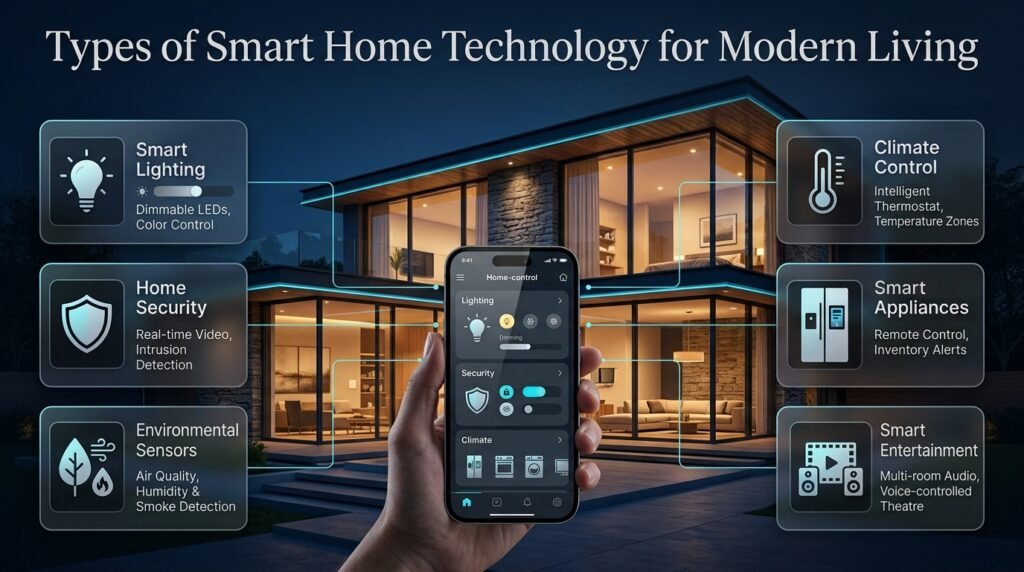
Smart home technology covers several areas of residential living. The most useful categories include lighting, security, climate control, appliances, entertainment, and environmental monitoring. Each serves a different purpose, so homeowners should choose according to their priorities rather than attempting to automate everything at once.
1. Smart Lighting and Automated Illumination
Smart lighting allows you to control compatible bulbs, switches, and fixtures through applications, schedules, sensors, and supported voice assistants. Depending on the product, you may adjust brightness, change color temperature, or create lighting scenes for different activities.
A family room, for example, might use brighter lighting for reading and softer illumination for watching television. A motion sensor can activate a hallway light at night without requiring someone to search for a switch.
The most useful benefits include:
- Remote control of compatible lights.
- Automatic schedules for morning and evening routines.
- Motion-activated lighting in selected areas.
- Adjustable brightness and supported color settings.
- Centralized control of multiple lights.
- Reduced unnecessary lighting when automation is configured properly.
Choosing between smart bulbs and smart switches requires some thought. Bulbs are usually easy to install, but their smart functions may become unavailable if someone switches off the physical wall switch. Smart switches can preserve familiar wall control, although their electrical and fixture compatibility must be confirmed.
Expert tip: Use motion sensors in transitional spaces, such as hallways, utility rooms, and entrances. In rooms where people remain still for long periods, choose suitable sensor technology and timeout settings to prevent lights from switching off unexpectedly.
Lighting automation should also support the room’s design. Fixture placement, glare, natural daylight, and furniture arrangement still matter. Connected controls cannot compensate for poor lighting design.
For complementary decorating guidance, explore Home Interior Ideas.
2. Smart Home Security and Access Control
Smart security systems help homeowners monitor entrances, receive activity alerts, and manage access to their properties. Common devices include video doorbells, smart locks, contact sensors, motion detectors, and indoor or outdoor cameras.
A video doorbell can allow you to see a visitor while away from home. A door sensor may report that a side entrance has opened. A compatible smart lock can provide temporary access to an approved guest without requiring a physical key to be handed over.
These features improve awareness, but they should complement sensible physical security rather than replace it.
Before selecting security equipment, consider:
- Video quality and nighttime performance.
- Storage options and recording limitations.
- Subscription fees for advanced features.
- Compatibility with your existing door and lock.
- Backup access during power or internet failures.
- Multifactor authentication and account security.
- Notification controls and privacy settings.
Some cameras provide live viewing without offering extended recording history. Others require subscriptions for cloud storage or advanced alerts. Check the full feature list instead of assuming every advertised function is included in the purchase price.
Smart locks also need careful evaluation. Confirm the lock’s compatibility with your door, the reliability of its power source, and the availability of an appropriate backup entry method.
Common mistake: Installing a camera without checking wireless coverage. A weak connection can result in delayed notifications, interrupted video, or unreliable remote access.
Place devices where they can perform their intended functions, test them before relying on them, and review the system’s behavior when the internet is unavailable.
3. Smart Thermostats and Climate Control
Smart climate controls manage compatible heating and cooling equipment through schedules, temperature settings, remote access, and selected sensor inputs.
Their main purpose is to help households maintain comfortable conditions without operating equipment unnecessarily. A homeowner might schedule a lower heating setting during working hours or adjust compatible air conditioning before returning home.
However, smart thermostats are not universally compatible with every heating or cooling system. Installation requirements vary, and some products require specific wiring, controllers, or additional sensors.
Before purchasing a climate control device, check:
- Compatibility with your existing HVAC equipment.
- Electrical and wiring requirements.
- Support for the temperature ranges and modes you need.
- Availability of local controls during internet outages.
- Whether additional room sensors or zoning are necessary.
In hot climates, intelligent air conditioning schedules may help reduce unnecessary operation. Nevertheless, savings depend on building insulation, outside temperatures, equipment efficiency, occupancy, and user settings.
A thermostat should not be configured simply to minimize energy use at the expense of reasonable comfort or equipment requirements. Indoor air quality, humidity, and manufacturer guidance also matter.
4. Smart Appliances for Everyday Household Tasks
Smart appliances use connected controls to provide remote monitoring, notifications, schedules, or selected automated functions.
Examples include washing machines that report cycle completion, robotic vacuum cleaners that follow room schedules, and connected ovens that offer approved remote monitoring.
The practical value depends on the feature rather than the smart label.
A robotic vacuum may be useful in a busy household with pets. A connected washing machine can reduce the chance of leaving wet laundry unattended for too long. A refrigerator with advanced inventory features may help some households organize shopping, although others may never use those functions.
When comparing appliances, consider reliability, energy efficiency, repair costs, warranty coverage, and replacement parts alongside connected features.
Don’t replace a dependable appliance merely because a newer model offers an application. Upgrade when the overall benefits justify the cost.
5. Smart Entertainment and Connected Media
Smart entertainment systems combine televisions, speakers, streaming equipment, and compatible lighting controls. Depending on the setup, a single command may turn on a television, adjust a supported sound system, and activate a preferred lighting scene.
These systems can reduce the number of separate controls needed for common activities.
Before purchasing, verify compatibility among the television, audio equipment, streaming platform, and chosen controller. Some products support voice commands for basic playback but require their own applications for advanced settings.
Room acoustics, speaker placement, viewing distance, and screen positioning remain important. Connected features should enhance the entertainment experience, not distract from the fundamentals of a comfortable room.
6. Smart Sensors and Environmental Monitoring
Sensors can make a home respond to conditions that would otherwise require constant manual checking.
Common examples include motion sensors, temperature sensors, humidity monitors, door contacts, water-leak detectors, and selected air-quality monitors.
A water sensor beneath a sink may send an alert when moisture appears. A temperature sensor can reveal that a bedroom is consistently warmer than the rest of the property. A door contact can help identify whether an entrance has been left open.
Sensors are particularly useful when they provide information that leads to a clear action.
For example, a water-leak detector is more valuable when its alert reaches someone who can respond promptly. Some systems can also activate compatible automatic shutoff valves, provided the equipment is installed and configured appropriately.
Remember that sensors have limitations. They may need regular battery replacement, suitable placement, and periodic testing to remain dependable.
What Are the Benefits of Smart Home Technology?
Smart home systems can improve convenience, security awareness, accessibility, energy management, and property monitoring. Their benefits depend on the quality of the devices, how they are configured, and whether they address real household needs.
Greater Convenience and Control
One of the most immediate benefits is reducing repetitive activities. Instead of checking every light individually, you can activate a routine. Instead of adjusting compatible equipment manually, you can use schedules or remote controls.
For a busy household, these small improvements can simplify everyday life.
A family might create a morning routine that switches on selected lights, while an evening routine turns off entertainment equipment and adjusts lighting for relaxation. These routines are useful because they follow established habits rather than requiring constant attention.
However, convenience should not come at the expense of simplicity. If a routine becomes difficult to understand or troubleshoot, a basic switch or straightforward schedule may be the better solution.
Improved Security Awareness
Connected cameras, door sensors, and smart locks can provide information about activity around a property.
Remote notifications may help homeowners identify unexpected access, check visitors, or confirm the status of compatible entry systems. Temporary access controls can also simplify arrangements for approved guests or service providers.
The system must still be configured correctly. Excessive notifications can become distracting, while poor camera placement can leave important areas unmonitored.
Use alert settings that reflect actual risks and review them when household routines change.
More Informed Energy Management
Smart plugs with energy monitoring, occupancy sensors, lighting schedules, and compatible climate controls can reveal opportunities to reduce unnecessary consumption.
For example, an energy monitor may show that a particular device uses more electricity than expected. A lighting schedule can prevent decorative lights from operating throughout daylight hours.
Nevertheless, a connected device does not automatically save energy. Some devices consume electricity continuously, and poorly configured schedules may create little benefit.
The objective should be to measure or identify waste, then make a practical change.
Accessibility and Independent Living
Voice controls, automated lighting, remote entry management, and scheduled routines can make household tasks easier for people who find conventional controls difficult to use.
A person with limited mobility may benefit from lights that respond to a voice command or sensors that illuminate a route through the home. Automated blinds can also reduce the need for repeated manual adjustments.
Accessibility needs vary, so test the proposed controls with the people who will use them. Voice recognition, connectivity, and smartphone availability are not always reliable enough to serve as the only control method.
Early Warning of Household Problems
Environmental monitoring can help homeowners notice developing problems sooner.
Water sensors can alert residents to leaks, while selected temperature or humidity monitors may reveal unusual conditions that deserve investigation. These alerts can support maintenance decisions and help reduce the time between a problem developing and someone noticing it.
However, smart monitoring does not replace inspections, repairs, or professional assessments. A sensor can provide a warning, but the underlying problem still needs to be addressed.
What Are the Disadvantages of Smart Home Technology?
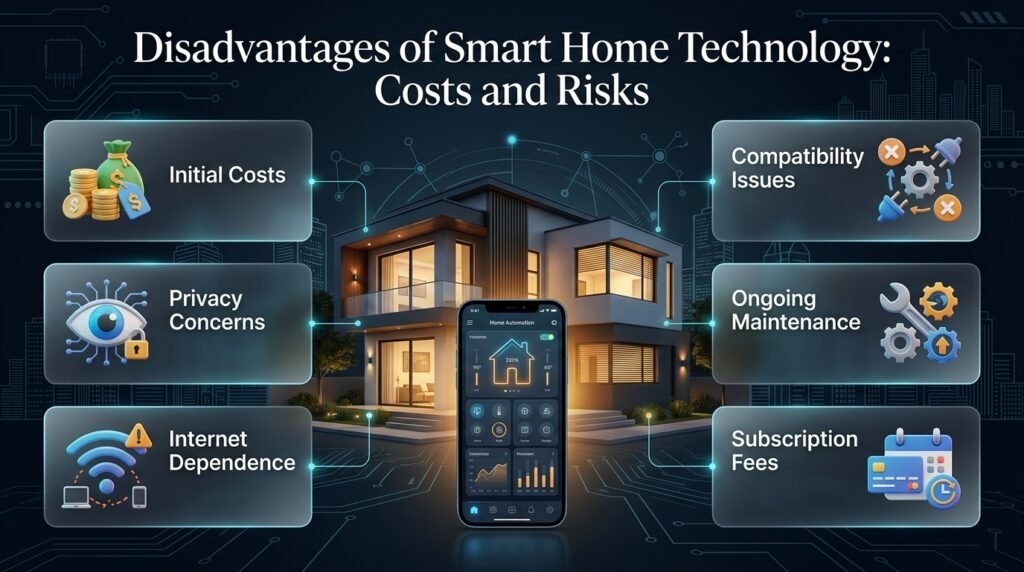
Smart home systems introduce additional costs, technical dependencies, maintenance requirements, and privacy considerations. Understanding these limitations before buying helps prevent disappointment.
| Disadvantage | Why it matters | Practical solution |
|---|---|---|
| Initial expense | Devices and installation increase the budget | Start with essential equipment |
| Compatibility problems | Devices may use different platforms or protocols | Check supported integrations first |
| Internet dependence | Some features stop working offline | Prefer local control where practical |
| Privacy concerns | Devices may collect household information | Review permissions and data policies |
| Maintenance requirements | Batteries and updates need attention | Schedule regular checks |
| Subscription costs | Advanced functions may require recurring payments | Compare long-term expenses |
| Product discontinuation | Unsupported services may lose functionality | Choose products with clear support policies |
Privacy and Data Collection
Connected devices may collect voice recordings, video, activity information, or device usage data. The type and amount of information depend on the product and its settings.
Review privacy policies, storage options, recording controls, and account permissions before installing cameras or voice assistants.
Useful precautions include using strong unique passwords, enabling multifactor authentication, installing security updates, and disabling unnecessary permissions.
Consider whether cameras genuinely need to operate continuously and whether recordings can be stored locally. Avoid placing indoor cameras in private spaces.
A smart home should make residents feel more comfortable, not create uncertainty about who can access household information.
Technical Problems and Dependence on Services
Connected equipment may occasionally disconnect, require a software update, or stop responding after a network change.
Some products also depend on a manufacturer’s cloud service. If that service is discontinued, remote control or other functions may be affected.
Before purchasing, check the manufacturer’s support commitments and consider whether the device remains useful without its application or cloud connection.
Keep manual alternatives for essential tasks and avoid making every basic household function dependent on a single online service.
Which Smart Home Devices Should Beginners Buy First?
Beginners should start with a small number of reliable devices that solve frequent problems. Smart bulbs, compatible plugs, motion sensors, and selected security equipment are common starting points because their purpose is easy to understand.
The best first purchase depends on the problem you want to solve, the existing equipment in your home, and your budget.
| Device | Most suitable use | Installation difficulty | Important consideration |
|---|---|---|---|
| Smart bulb | Convenient lighting control | Usually easy | Check the required app and control method |
| Smart plug | Scheduling suitable appliances | Usually easy | Confirm electrical ratings |
| Motion sensor | Automatic lighting or alerts | Easy to moderate | Position affects performance |
| Smart speaker | Voice control and routines | Usually easy | Review microphone and privacy settings |
| Video doorbell | Visitor monitoring | Moderate | Check wiring, Wi-Fi, and storage |
| Smart lock | Connected entry management | Moderate | Confirm door compatibility and backup access |
| Smart thermostat | Climate scheduling | Moderate | Verify HVAC compatibility |
| Water-leak sensor | Early leak detection | Usually easy | Test alerts and battery status |
A Practical Starter Setup
Imagine a homeowner who regularly forgets to switch off hallway lights and wants to monitor visitors at the front entrance.
Instead of buying a complete automation package, the homeowner could begin with compatible smart lighting and a motion sensor. If visitor monitoring is a separate priority, a suitable video doorbell could be added after checking network coverage and storage costs.
Once the equipment has been used for a few weeks, the homeowner can evaluate whether a hub or additional sensors would provide meaningful value.
This staged approach has several advantages:
- It limits the initial investment.
- It makes troubleshooting easier.
- It reveals which features are genuinely useful.
- It reduces the risk of purchasing incompatible products.
- It gives the household time to learn the controls.
The most effective smart home is not necessarily the one with the most devices. It’s the one that works reliably for the people living in it.
How to Build a Smart Home Step by Step
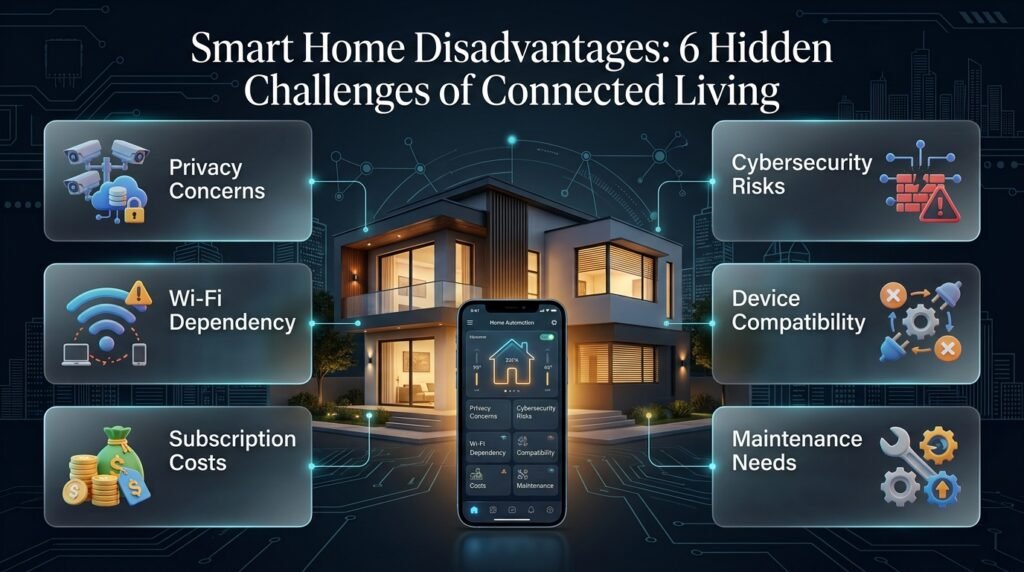
Planning the system before purchasing equipment can prevent unnecessary spending and compatibility problems. A structured approach also makes it easier to expand the setup later.
Step 1: Identify Your Main Household Priorities
Start by listing the tasks you want to simplify or improve.
For example, you might want more convenient lighting, better visitor monitoring, early leak detection, or improved control of heating and cooling.
Rank these priorities according to how frequently the problem occurs, how important the solution is, and how much you’re willing to spend.
Why this matters: A clear priority helps you compare products according to their actual value rather than their marketing features.
Step 2: Assess Your Existing Home Network
Check wireless coverage in the rooms where devices will be installed.
Large properties, thick walls, multiple floors, and poorly positioned routers can create weak signal areas. A device may work well near the router but perform poorly near an entrance or in a detached garage.
Depending on the property, you may need to reposition the router, add a suitable access point, or improve coverage with a compatible mesh system.
Also check whether your devices require a specific Wi-Fi band, dedicated hub, or additional network equipment.
Step 3: Select a Suitable Smart Home Platform
Choose a platform that supports your preferred controls and the devices you intend to purchase.
Apple Home, Google Home, Amazon Alexa, and other compatible automation systems offer different combinations of voice control, scheduling, device management, and integrations.
Compare their supported devices, privacy controls, local operation, and long-term requirements.
Matter can improve interoperability between supported products, but it does not guarantee that every feature will work identically across platforms. Confirm the exact functions available for each device.
Step 4: Purchase and Install Essential Devices
Buy only the equipment required for the first phase of your project.
Follow manufacturer instructions and test every device individually before creating complex routines. Confirm that sensors report correctly, lights respond consistently, and connected security equipment sends notifications as expected.
For fixed electrical installations, choose a qualified professional where necessary. Never improvise wiring or bypass electrical safety requirements to make a device work.
Step 5: Create Simple Automation Rules
Once the basic setup is working, introduce routines that match everyday activities.
Examples include switching off selected lights at bedtime, activating a hallway light when movement is detected, or receiving a notification when a water sensor detects moisture.
Keep each routine understandable. A single automation should have a clear trigger and a predictable result.
Step 6: Secure Accounts and Device Access
Use unique passwords and multifactor authentication where supported. Install firmware updates and remove unnecessary permissions.
Review the list of household members who can control the system. If a guest or service provider no longer needs access, remove their permissions.
Where supported, a separate network for smart devices may help limit unnecessary communication with personal computers and other sensitive equipment.
Step 7: Test Outages and Backup Controls
Check what happens when the router loses internet access, the hub restarts, or a device battery becomes low.
Make sure important tasks have practical alternatives. A smart lock should have a suitable backup entry method, while essential lighting should not become completely unusable because a smartphone is unavailable.
Test the system periodically rather than waiting for a failure to discover its limitations.
Wi-Fi, Zigbee, Thread, Bluetooth, and Matter Explained
Smart home products use different communication technologies, and these terms are not interchangeable. Some describe how devices communicate, while others establish rules that improve compatibility.
Understanding the differences can help you select equipment that works well together.
| Technology | Main purpose | Typical strength | Possible limitation |
|---|---|---|---|
| Wi-Fi | Connects devices to a wireless network | Broad support and direct network access | Network congestion and power use |
| Zigbee | Low-power device communication | Useful for sensors and lighting networks | A compatible hub may be necessary |
| Thread | Low-power mesh networking | Designed for connected home devices | Compatible border router support may be needed |
| Bluetooth | Short-range wireless communication | Convenient setup and nearby control | Limited range for some uses |
| Matter | Standardizes supported smart home interactions | Helps compatible products work across ecosystems | Specific features still vary by product |
Why Does Matter Matter for Smart Home Buyers?
Matter is an interoperability standard intended to make supported smart home products easier to use across compatible ecosystems.
For buyers, this can reduce the risk of building an entire setup around one manufacturer’s application. A supported device may be usable with multiple compatible controllers, depending on its implementation and the platform’s capabilities.
However, Matter doesn’t eliminate every compatibility problem. Some functions may still require manufacturer-specific software, additional hardware, or particular software versions.
Before buying, check the supported features and whether the device requires a separate controller or border router.
Practical advice: Choose products according to the features you need today, but consider how easily the system can expand in the future.
How Much Does Smart Home Technology Cost?
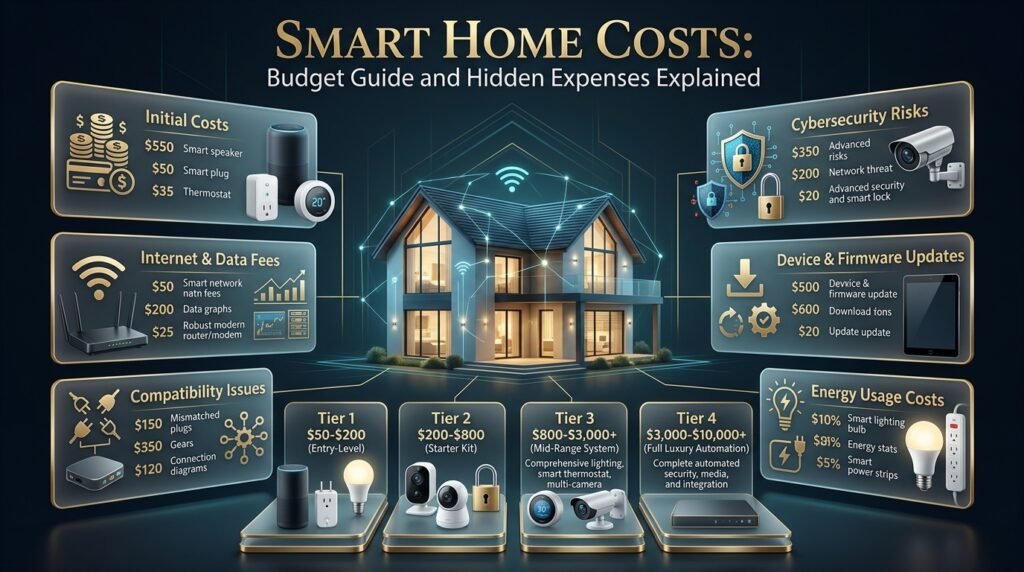
Smart home costs vary according to the number of devices, installation requirements, system complexity, and ongoing subscriptions. A small lighting setup may be inexpensive, while extensive security, climate control, and whole-home automation can require a substantial investment.
The following figures are illustrative US-dollar planning ranges rather than current retail quotations.
| Setup | Illustrative budget | Possible equipment |
|---|---|---|
| Basic | $50–$200 | A few smart bulbs, plugs, or sensors |
| Intermediate | $200–$800 | More devices, a hub, and selected security equipment |
| Advanced | $800–$3,000+ | Multiple rooms, smart locks, cameras, and climate controls |
| Whole-home integration | $3,000–$10,000+ | Extensive automation and professional installation |
Actual costs can fall outside these ranges, especially when electrical work, premium equipment, or extensive customization is involved.
What Additional Costs Should You Consider?
A complete budget should account for more than the initial purchase price.
Potential expenses include:
- Monthly or annual cloud storage subscriptions.
- Replacement batteries and accessories.
- Router or network upgrades.
- Professional installation and electrical work.
- Device replacement after the support period.
- Additional hubs or controllers.
- Maintenance and troubleshooting.
A camera that appears inexpensive may cost more over several years if recording features require a paid subscription. Similarly, a smart thermostat may require professional installation or additional wiring.
Compare the total expected cost over three to five years before deciding whether a product provides good value.
How Can You Avoid Overspending?
Start with the devices that address your highest priorities. Compare similar products, check the features included without subscriptions, and avoid paying extra for functions you are unlikely to use.
For larger projects, divide the installation into phases. Complete the essential lighting or security setup first, then expand when you understand what the household needs.
This approach protects your budget while leaving room for future improvements.
How Can Smart Home Technology Reduce Energy Waste?
Smart home technology can help homeowners identify unnecessary energy consumption and operate compatible equipment according to actual needs. Lighting schedules, occupancy sensors, climate controls, and energy-monitoring devices are among the most useful options.
However, savings are not automatic. Results depend on the equipment, building condition, local energy prices, and household habits.
Use Lighting Automation Strategically
Motion sensors can turn off selected lights after a room becomes empty. Schedules can prevent exterior lighting from running during daylight.
Configure detection ranges and timeout periods carefully. If a light switches off while someone is reading or working, the system becomes inconvenient and may be disabled.
Use automation where it matches the room’s activities rather than applying the same settings throughout the property.
Monitor Electricity Consumption
Compatible energy-monitoring devices can reveal consumption patterns that are otherwise difficult to notice.
For example, monitoring may show that an appliance remains active longer than expected or that a particular device consumes electricity while idle.
Use this information to investigate potential waste, but check electrical ratings before connecting equipment to a smart plug. High-power appliances and certain motors may require specialized controls.
Optimize Heating and Cooling
Set climate schedules according to occupancy and reasonable comfort requirements. Avoid heating or cooling empty spaces unnecessarily, and maintain equipment according to manufacturer recommendations.
Insulation, air sealing, window treatments, and equipment efficiency remain important. Smart controls generally work best when the building itself is reasonably efficient.
For homeowners considering broader improvements, Build & Renovate Construction offers a relevant starting point for planning building-related projects.
Combine Automation With Everyday Habits
Technology works best when it supports sensible routines.
Closing blinds during periods of intense sunlight, turning off unused equipment, maintaining air filters, and addressing drafts can complement smart controls.
A connected home should make good habits easier rather than encourage unnecessary purchases in the hope that technology alone will solve energy problems.
How Can You Protect Smart Home Privacy and Security?
A connected home introduces additional devices, accounts, and network connections that need protection. Security should be part of the initial design, not an afterthought once the system has been installed.
Secure Your Accounts
Use strong, unique passwords for important accounts and enable multifactor authentication where available.
Avoid sharing the main account credentials with everyone in the household. Use supported family or guest access features so that permissions can be limited appropriately.
Review account access periodically, especially after household changes or when a service provider no longer needs access.
Keep Devices Updated
Install firmware and software updates from trusted manufacturers. Updates may address security vulnerabilities, improve compatibility, or correct software problems.
Check whether the manufacturer provides a clear security support policy. Devices that no longer receive important updates may become less suitable for sensitive tasks over time.
Review Camera and Microphone Permissions
Consider whether a device needs continuous recording, voice activation, location access, or cloud storage.
Disable features you don’t use and choose suitable privacy settings. If local recording or processing is available and meets your needs, it may reduce dependence on external services.
Be especially careful with indoor cameras, which can capture personal household activities.
Improve Network Separation Where Possible
Some routers support separate networks for guests or smart devices. Using these features can help limit unnecessary communication between connected household equipment and personal computers.
Network separation is not a substitute for device security, but it can be a useful additional safeguard when configured correctly.
Prepare for Internet and Power Failures
A secure system should also remain practical during outages.
Battery-powered sensors may continue operating without mains power, but a router, hub, or connected camera may stop functioning unless it has backup power. Cloud-dependent services may also become unavailable when the internet fails.
Identify which functions remain local, which require external services, and which need manual alternatives.
For property-related planning and maintenance guidance, explore Property Care & Maintenance.
How Does Smart Home Technology Fit Into Modern Home Design?
Technology should support the home’s layout and appearance rather than dominate them. Thoughtful placement of controls, sensors, access points, and connected fixtures can improve usability while keeping rooms visually comfortable.
Plan Device Placement Before Furnishing
Think about where residents enter a room, sit, work, and move between spaces.
Lighting controls should be easy to reach, motion sensors should cover the intended area, and cameras should have useful views without unnecessarily recording private spaces.
Wireless equipment also needs suitable signal coverage. A beautifully concealed device is not helpful if its position prevents it from communicating reliably.
Coordinate Lighting With Furniture and Room Activities
A smart lighting system should account for reading areas, work surfaces, circulation routes, and ambient lighting.
For example, a sensor-controlled hallway light may be useful at night, while a living room may benefit from separate scenes for reading, entertaining, and relaxing.
Furniture placement can affect sensor detection and the distribution of light. Test the arrangement after installation and adjust settings when necessary.
Consider Wiring During Renovation
Renovations provide an opportunity to plan network cabling, outlets, switch locations, and appropriate wiring for future connected equipment.
Depending on the design, additional Ethernet connections or improved access point placement may be worthwhile. Fixed electrical work should be designed and completed by qualified professionals.
Planning these details before walls are closed can reduce the need for disruptive changes later.
For broader ideas about building layouts and property design, explore Residential Architecture Ideas.
Keep the Home Comfortable and Understandable
A system that requires several apps, complicated voice commands, and constant troubleshooting can become more frustrating than conventional controls.
Choose clear naming conventions for rooms and devices. Keep essential switches accessible, and make sure household members know how to operate important equipment.
Technology should fit the way people live, not force them to change every habit around the system.
Can Smart Home Technology Improve Outdoor Living?
Smart home technology can also improve gardens, patios, balconies, and outdoor entertainment areas. Suitable devices include weather-resistant lighting, selected irrigation controllers, outdoor cameras, and compatible environmental sensors.
However, outdoor equipment faces additional challenges, including moisture, temperature changes, sunlight, and greater distances from wireless access points.
Smart Outdoor Lighting
Connected outdoor lighting can help illuminate entrances, pathways, patios, and seating areas according to schedules or motion detection.
Choose fixtures and controllers rated for their intended outdoor environment. Position lights to provide useful visibility without producing unnecessary glare for residents or neighbors.
For example, a pathway light can switch on when someone approaches, while decorative patio lighting can follow a separate evening schedule.
Automated Garden Watering
Compatible irrigation controllers can schedule watering according to plant needs and, on supported systems, weather or soil conditions.
Automation may reduce unnecessary watering, but it still needs appropriate settings. Plant types, soil drainage, seasonal conditions, and local watering restrictions should guide the schedule.
Check the system regularly for leaks, blocked emitters, and changes in plant requirements.
Outdoor Security and Connectivity
Outdoor cameras and connected equipment need reliable power and network coverage. Check the manufacturer’s environmental ratings and installation instructions before placing devices outside.
Do not assume an indoor smart plug, sensor, or camera can safely withstand outdoor conditions.
For more ideas about connected outdoor spaces, explore Garden and Outdoor Living Ideas.
How Can Smart Home Technology Support Property Ownership?
Smart home equipment can help property owners monitor selected conditions, manage access, and simplify certain maintenance tasks. Its value is greatest when it complements routine inspections and sound property management.
Monitoring a Property While Away
Homeowners who travel or spend time away may benefit from selected door sensors, leak detectors, compatible cameras, and scheduled lighting.
These tools can provide useful information, but alerts are only valuable if someone can respond when necessary. Consider who will check notifications, investigate problems, and arrange repairs while the property is unoccupied.
Do not rely exclusively on remote monitoring for serious emergencies.
Managing Rental Properties
In rental properties, connected access controls and environmental sensors may help simplify approved entry arrangements and identify certain maintenance issues.
However, landlords should respect tenant privacy, local legal requirements, and the agreed terms of occupancy. Cameras and other monitoring devices require particular care because they can capture personal activities.
Any connected equipment should be disclosed and managed appropriately, with clear instructions for tenants and a practical process for resolving technical problems.
Considering Long-Term Property Value
Modern controls may appeal to some prospective buyers, especially when equipment is reliable, easy to operate, and properly documented.
Nevertheless, smart devices do not guarantee a higher sale price. Buyers may prefer conventional controls, have different platform preferences, or be reluctant to inherit subscription obligations.
When installing equipment, preserve documentation, explain which devices are included in the property, and prepare a secure ownership-transfer process.
For broader ownership and housing guidance, see Property and Real Estate Guide.
What Are the Most Common Smart Home Mistakes?
Many smart home problems result from buying too quickly, overlooking compatibility, or automating tasks without considering how the household operates.
Buying Devices Before Choosing a Platform
Why it happens: Individual products look attractive, and their descriptions mention popular smart home systems.
Why it’s harmful: Devices may require different hubs, separate applications, or unsupported integrations.
How to avoid it: Choose a suitable ecosystem first, then check each product’s compatibility and required features.
Automating Too Much Too Early
Why it happens: Once a few devices work, homeowners want to connect every room immediately.
Why it’s harmful: Complex routines become difficult to test and troubleshoot. Unexpected triggers may also disrupt ordinary activities.
How to avoid it: Build the system in phases. Test each routine under normal conditions before adding more devices.
Ignoring Wireless Coverage
Why it happens: People assume that a single router will cover the entire property.
Why it’s harmful: Cameras may disconnect, sensors may respond slowly, and remote controls may become unreliable.
How to avoid it: Test coverage in the actual installation locations and improve the network before expanding the setup.
Forgetting Subscription and Maintenance Costs
Why it happens: The advertised device price receives more attention than ongoing expenses.
Why it’s harmful: Storage fees, replacement batteries, and professional installation can increase the total cost.
How to avoid it: Calculate the likely cost over several years and check which functions are available without a subscription.
Removing All Manual Controls
Why it happens: App and voice controls appear more convenient than conventional switches.
Why it’s harmful: A dead phone battery, internet outage, or voice recognition failure can make ordinary tasks unnecessarily difficult.
How to avoid it: Preserve appropriate physical controls and backup access methods, particularly for essential lighting and entry systems.
Neglecting Device Updates
Why it happens: Homeowners assume the system will continue working without attention.
Why it’s harmful: Outdated software, depleted batteries, and expired credentials can affect performance and security.
How to avoid it: Review device health regularly, install trusted updates, and test important routines after significant changes.
What Do Professionals Recommend When Designing a Smart Home?
A well-designed smart home emphasizes reliability, clear controls, privacy, and long-term support. The goal is to create a system that remains useful without requiring constant technical attention.
Design Around Daily Routines
Start by observing how people use the property. Identify recurring frustrations, areas that need better lighting, security concerns, and tasks that would benefit from automation.
Choose controls that match these habits. A motion sensor may be ideal for a passageway, while a physical switch may remain preferable in a room where lighting needs change frequently.
Keep Critical Functions Simple
Avoid making essential household tasks depend entirely on a smartphone or cloud service.
Provide practical alternatives for lighting, entry, and other important functions. Test what happens when devices disconnect or batteries become depleted.
Prioritize Reliability Over Device Count
A smaller system with dependable equipment is often more useful than a large collection of products with inconsistent compatibility.
Choose devices with clear specifications, suitable warranties, and a reasonable support policy. Expand only when the existing setup works reliably.
Document the Installation
Keep a record of device locations, model numbers, account ownership, warranty information, and essential settings.
For more complex systems, document network equipment, hub requirements, and the purpose of important automation rules. This information makes maintenance and troubleshooting easier.
Review the System as Needs Change
Households change over time. Children grow, working arrangements shift, and rooms take on new purposes.
Review your automations periodically and remove rules that no longer serve a useful function. A smart home should evolve with the people living in it rather than become increasingly complicated.
What Is the Future of Smart Home Technology?
Smart home technology continues to develop through improved interoperability, local processing, more capable automation, and better integration with household energy systems.
These developments may make connected homes easier to manage, but the most useful improvements will be those that solve genuine problems reliably.
More Context-Aware Automation
Traditional routines follow simple rules, such as switching on a light at a particular time. More advanced systems can combine occupancy information, sensor readings, schedules, and user preferences to respond to changing conditions.
Such features may reduce manual adjustments, but homeowners should retain control over important decisions and understand which information the system uses.
More Local Processing
Local processing allows supported devices to handle certain tasks within the home instead of sending every request to a cloud service.
Depending on the product, this may improve responsiveness and reduce dependence on an external internet connection. However, local processing does not eliminate every privacy or security risk.
Check the actual capabilities rather than assuming every device with advanced automation works locally.
Improved Interoperability
Standards such as Matter aim to simplify interactions among compatible devices and smart home platforms.
Better interoperability may make it easier to expand a system without replacing every existing device. Nevertheless, supported features can still vary, so compatibility checks remain important.
Greater Attention to Energy Efficiency
Connected monitoring and automation may help households manage electricity consumption more effectively.
Smart controls can support efficient lighting, climate scheduling, and selected energy monitoring. Yet building insulation, equipment maintenance, and responsible usage will remain central to reducing energy waste.
More Personalized Household Experiences
Future systems may offer more flexible routines based on household preferences and changing conditions.
For example, a system might coordinate compatible lighting and climate settings around an established schedule. Such automation should remain understandable, adjustable, and respectful of privacy.
The best technology will be the technology that improves everyday living without making homes harder to manage.
What Is the Best Smart Home Technology for Beginners in 2026?
The best smart home technology for beginners is equipment that solves everyday problems without requiring complicated installation or expensive upgrades. Smart lighting, motion sensors, compatible smart plugs, and video doorbells are practical starting points because they offer clear benefits and allow homeowners to expand their systems gradually. The right choice depends on your budget, existing home setup, and the tasks you want to simplify.
Before buying anything, consider how the device will fit into your daily routine. For example, smart lighting can simplify evening routines, while a water-leak sensor can provide an early warning of a potential household problem. Choose products that work with your preferred smart home platform and check whether important features require a subscription.
Points to consider:
Start with one or two devices that address genuine household needs.
Check compatibility with your Wi-Fi network and preferred control platform.
Compare installation requirements, ongoing fees, and warranty coverage.
Choose devices that retain useful manual controls when connectivity fails.
How Much Does It Cost to Set Up a Smart Home?
The cost of setting up a smart home depends on the number of devices, their features, installation requirements, and the level of automation you want. A basic setup with a few smart bulbs, plugs, or sensors may cost approximately $50–$200, while a more developed system with a hub, security devices, and additional controls may cost several hundred dollars or more. Extensive whole-home installations can require a significantly larger budget.
The best approach is to plan your setup in stages instead of purchasing every available device at once. Begin with the features that will make the biggest difference to your household, then expand after testing how well the initial equipment works. Remember to include subscription fees, replacement batteries, network upgrades, and professional installation in your calculations.
Points to consider:
Set a realistic budget before comparing products.
Check whether cloud storage or advanced features require monthly payments.
Compare long-term ownership costs, not just the initial purchase price.
Prioritize reliability and usefulness over the number of connected devices.
Can Smart Home Technology Reduce Electricity Bills?
Smart home technology can help reduce electricity waste when devices are configured to match actual household needs. Smart lighting schedules, occupancy sensors, compatible thermostats, and energy-monitoring equipment can help homeowners identify unnecessary consumption and manage certain appliances more efficiently. However, the amount saved depends on existing energy use, equipment efficiency, climate, electricity prices, and daily habits.
For example, motion-activated lighting can prevent lights from remaining on in an empty hallway, while a compatible thermostat can adjust heating or cooling schedules when the house is unoccupied. Energy-monitoring devices may also help identify equipment that consumes more electricity than expected. These tools work best alongside good insulation, efficient appliances, and regular maintenance.
Points to consider:
Use schedules and sensors to reduce unnecessary lighting.
Adjust climate controls according to occupancy and comfort requirements.
Monitor energy consumption before making changes.
Avoid assuming that every smart device automatically saves energy.
Is Smart Home Technology Safe and Secure for Your Privacy?
Smart home technology can provide useful security features, but connected devices also introduce privacy and cybersecurity considerations. Cameras, voice assistants, smart locks, and other connected products may collect personal information or depend on online accounts. The level of risk varies by manufacturer, device design, security support, and how the system is configured.
Homeowners can reduce many avoidable risks by using strong, unique passwords, enabling multifactor authentication, installing security updates, and reviewing device permissions. It’s also important to understand how cameras store recordings, whether cloud subscriptions are required, and who has access to the system. For essential functions, choose equipment with appropriate backup controls so that an internet outage doesn’t leave you without a practical alternative.
Points to consider:
Purchase devices from manufacturers with clear security-update policies.
Review microphone, camera, and data-sharing settings.
Disable unnecessary permissions and remove outdated user access.
Check local-control options and backup access methods before installation.
Do Smart Home Devices Work Without Wi-Fi or an Internet Connection?
Smart home devices vary in how they operate during network or internet outages. Some products use local communication technologies, such as Zigbee, Thread, or Bluetooth, and may continue performing certain functions without an internet connection. Other devices rely on cloud services for remote control, notifications, voice commands, or video recording, so those features may become unavailable during an outage.
Before purchasing a device, check which functions operate locally and which require an active internet connection. A compatible smart light may retain basic control through a physical switch, while a cloud-dependent security camera may lose remote viewing or notifications. A reliable smart home should include practical alternatives for essential tasks, especially lighting, entry access, and security.
Points to consider:
Check each device’s offline capabilities before buying.
Keep manual controls for essential household functions.
Understand whether the hub and router require backup power.
Test how important devices behave during a temporary connection failure.
Conclusion
Smart home technology is changing the way people manage their homes by making everyday tasks more convenient, improving energy efficiency, strengthening security, and creating more comfortable living environments. From smart lighting and thermostats to connected door locks, security cameras, and automated appliances, these technologies offer practical benefits when they are selected according to a household’s actual needs. However, building an effective smart home is not about purchasing the largest number of devices. It is about choosing reliable products that work together and solve real problems.
The best approach is to start with a few essential devices, understand their features, and expand the system gradually. Homeowners should consider compatibility, internet reliability, installation costs, privacy settings, and long-term maintenance before investing in smart equipment. A well-planned setup can help reduce unnecessary electricity consumption, simplify daily routines, and provide greater control over important home functions. At the same time, strong passwords, regular software updates, and secure network settings remain essential for protecting connected devices.
Smart technology also works best when it complements the home’s overall design and practical layout. Whether you are improving an existing property, planning a renovation, or designing a new living space, integrating automation early can help create a more functional and future-ready environment. For more inspiration on improving your living space, explore Blog Home Ideas TheHomeTrotters and discover practical ideas for building, improving, maintaining, and enjoying your home.
Ultimately, smart home technology should make life easier rather than more complicated. By prioritizing useful features, choosing compatible devices, and planning for security and future upgrades, you can create a connected home that supports your lifestyle, fits your budget, and delivers lasting value.