Introduction
Smart Home Upgrades | A home should make everyday life easier, but small frustrations can become part of your routine without you noticing. You leave lights switched on in empty rooms, return home to an uncomfortable temperature, worry about deliveries at the front door, or spend time checking appliances before leaving for work. These problems might seem minor, but the right technology can help you manage them more efficiently.
Smart home upgrades offer practical ways to improve convenience, security, energy management, and comfort without rebuilding your entire property. From smart lighting and connected plugs to security sensors and automated window coverings, you can choose improvements that fit your lifestyle, budget, and existing home.
The important thing is to avoid buying technology simply because it looks impressive. A useful upgrade should solve a real problem, work reliably, and remain easy for everyone in your household to use.
In this guide, you’ll discover which devices are worth considering, how to choose compatible products, what to know about installation and privacy, and how to plan a smart home that feels natural rather than complicated. For more inspiration about creating practical and attractive living spaces, explore Blog Home Ideas TheHomeTrotters.
1. What Are Smart Home Upgrades, and Why Do They Matter?
Smart home upgrades are improvements that use connected devices, sensors, and automation to make household tasks easier to control. Depending on the equipment, you can manage lighting, monitor entry points, adjust heating or cooling, operate compatible appliances, and receive alerts through a phone, controller, or voice assistant.
Some upgrades are simple enough to install yourself. Others require electrical work, specialized equipment, or professional installation. The best choice depends on the problem you’re trying to solve rather than the number of devices you can add.
How smart technology changes everyday living
Consider a typical evening. You arrive home, switch on the entrance light, adjust the living room lighting, close the curtains, and prepare for bed later. With suitable automation, several of these tasks can happen through a single routine.
Smart technology can also help when you’re away. A door sensor may notify you when an entrance opens, a compatible camera may show activity around your property, and a water-leak detector may alert you to moisture near a vulnerable pipe.
However, these features are not automatically necessary for every household. Someone living in a small apartment may benefit more from convenient lighting than from a complex whole-home system.
Before buying anything, identify the activities that take unnecessary time, create discomfort, or expose your home to avoidable risks.
Which homes benefit most from smart upgrades?
Smart technology can work in apartments, rented properties, family homes, and newly constructed houses.
- Apartments: Smart bulbs, portable plugs, and compact sensors offer convenience without major alterations.
- Family homes: Lighting routines, entry alerts, and selected connected appliances can simplify shared responsibilities.
- Older properties: Wireless devices may improve convenience without requiring extensive rewiring.
- New homes: Planned wiring, network access, and compatible controls can support a more integrated installation.
- Rental properties: Removable devices can provide useful functionality while minimizing permanent changes.
The most successful setup is the one that fits the property’s limitations and the household’s daily routine.
2. Which Smart Home Upgrades Should You Prioritize First?
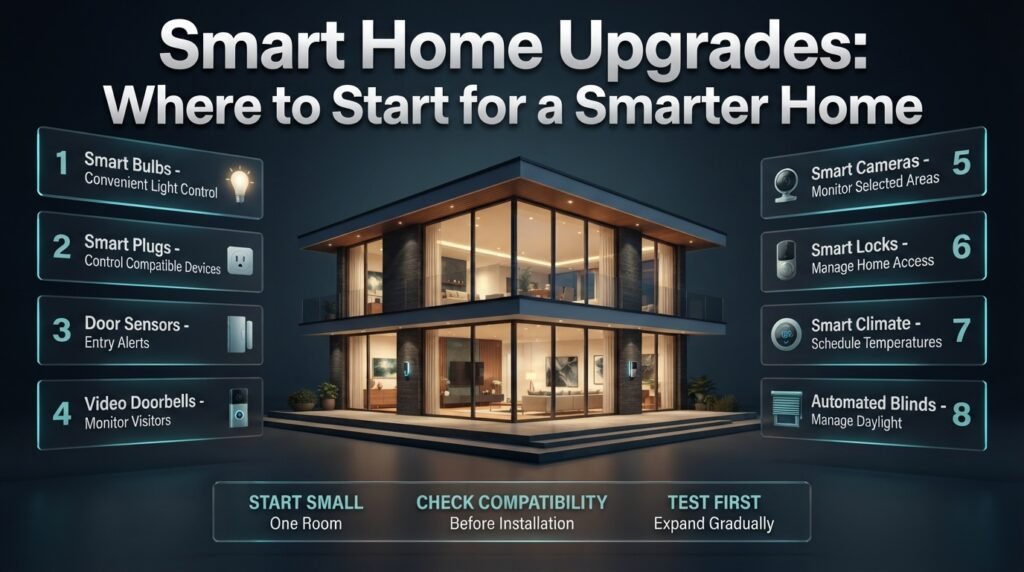
Start with upgrades that solve frequent problems, are relatively straightforward to install, and provide benefits you can evaluate. Smart bulbs, compatible plugs, selected sensors, and entry-monitoring devices are common starting points because they can improve everyday convenience without requiring a complete renovation.
The right order will depend on your priorities.
| Upgrade | Main purpose | Relative cost | Installation considerations |
|---|---|---|---|
| Smart bulbs | Convenient lighting control | Low | Bulb and switch compatibility |
| Smart plugs | Remote control of compatible appliances | Low | Electrical rating and appliance suitability |
| Door sensors | Entry alerts and automation | Low to medium | Sensor placement and controller support |
| Video doorbells | Visitor monitoring | Medium | Power, Wi-Fi, and recording options |
| Smart cameras | Monitoring selected areas | Medium | Placement, privacy, and storage |
| Smart locks | Convenient access management | Medium to high | Door compatibility and backup access |
| Smart climate controls | Temperature scheduling | Medium to high | Heating or cooling compatibility |
| Automated blinds | Convenient daylight management | Medium to high | Mounting, power, and window dimensions |
These categories describe relative costs, not guaranteed market prices. Installation, local availability, subscriptions, and product specifications can change the total expense.
Choose one room before upgrading the whole property
A room-by-room approach makes the project easier to manage.
In a bedroom, you might begin with dimmable lights and a bedtime routine. In a living room, smart lighting and a compatible entertainment plug may be enough. At the entrance, a door sensor or video doorbell may address a more important security concern.
Write down what you expect each device to accomplish. If you cannot identify a clear benefit, postpone the purchase.
Practical tip: Test one device for several days before buying more. This helps you determine whether the controls are convenient, the connection is reliable, and the feature genuinely improves your routine.
3. How Can Smart Lighting Make Your Home More Comfortable?
Smart lighting allows you to adjust brightness, set schedules, control compatible bulbs remotely, and trigger lights through sensors or routines. It can make rooms more convenient to use while helping reduce unnecessary lighting when people leave a space.
Lighting is often a good first upgrade because it combines practical functionality with a noticeable effect on the atmosphere of a room.
Smart bulbs, switches, and dimmers
These options serve different purposes.
Smart bulbs are suitable for beginners who want an easy installation. You replace a compatible bulb and configure it through the supported control system.
Smart switches control existing light fixtures and may be more convenient when several lights operate from one switch. However, installation can require checking the wiring and ensuring compatibility with the bulbs.
Smart dimmers allow you to adjust brightness, creating suitable conditions for different activities. Not every bulb works correctly with every dimmer, so check the manufacturer’s specifications before combining them.
For renters, smart bulbs may be more convenient because they can usually be removed when moving out. Homeowners planning a renovation may prefer integrated switches or dimmers for a consistent appearance.
Build lighting routines around real activities
Instead of manually controlling every light, create a few routines that match your household’s habits.
For example:
- Morning routine: Turn on selected lights at a comfortable brightness.
- Evening routine: Dim living room lights after dinner.
- Nighttime routine: Use suitable low-level lighting in hallways.
- Leaving-home routine: Switch off designated lights when the household leaves.
Motion sensors can be particularly useful in corridors, storage areas, and entrances. However, their placement matters. A sensor that cannot detect someone approaching may cause frustrating delays, while poor settings may switch lights off when someone remains still.
Expert advice: Keep lighting controls intuitive. Household members should still be able to use the lights normally without understanding every automation rule.
4. Are Smart Thermostats and Air-Conditioning Controls Worth It?
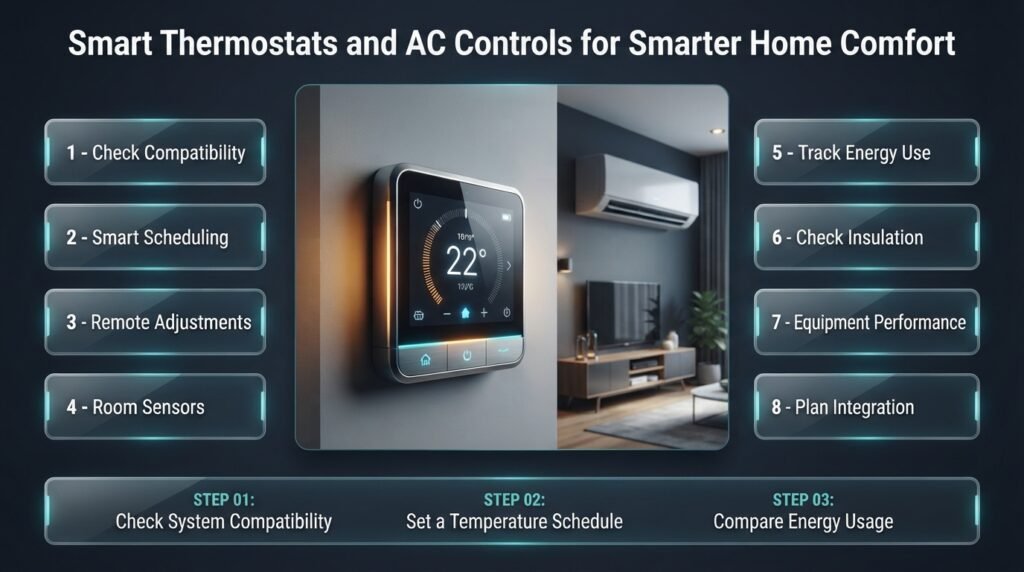
Smart climate controls can help manage heating and cooling schedules, adjust settings remotely, and coordinate compatible temperature sensors. Their value depends on your climate, existing equipment, household routine, and how effectively you already manage indoor temperatures.
A smart thermostat is not automatically the right purchase for every home.
Match the controller to your existing equipment
Before buying a thermostat, identify the type of heating or cooling system you have. Some thermostats support particular heating systems, while others work with compatible air conditioners or heat pumps.
Check whether the installation requires a specific wire, adapter, relay, or professional assistance. If your air conditioner uses an infrared remote, a compatible smart controller may be an alternative to replacing the unit.
Never assume that a device will work simply because it supports your preferred phone app.
Use schedules to avoid unnecessary operation
A family that leaves home at the same time each morning may benefit from adjusting the temperature while the house is empty. A compatible system can restore a comfortable setting before everyone returns.
Room sensors may also help identify temperature differences between rooms, although their usefulness depends on the system and how it uses sensor readings.
Smart controls cannot compensate fully for poor insulation, blocked vents, undersized equipment, or other underlying problems. If a room remains uncomfortable, investigate those issues instead of relying entirely on automation.
How can you evaluate energy savings?
Compare energy use before and after changing your settings, allowing for seasonal changes, weather, occupancy, and equipment use.
Do not assume that every smart thermostat will pay for itself within a specific period. The result depends on the property’s existing efficiency and your previous habits.
For larger improvement projects, planning technology alongside construction work may be more practical than retrofitting everything later. See Build & Renovate Construction for related property-planning inspiration.
5. Which Smart Security Upgrades Should You Consider?
Smart security devices can help you monitor entrances, receive alerts, manage access, and check selected areas remotely. Common options include video doorbells, door and window sensors, cameras, smart locks, and compatible alarm systems.
These devices can improve awareness of activity, but they should be treated as parts of a broader security plan rather than guaranteed protection against every risk.
Video doorbells for entrances and deliveries
A video doorbell may let you see visitors, communicate with someone at the door, and receive alerts when selected activity is detected.
It can be useful when you receive frequent deliveries or spend long periods away from home.
Before purchasing, check the power requirements, Wi-Fi coverage, recording options, and any subscription fees. Confirm whether the camera provides the viewing angle you need without unnecessarily recording neighboring properties or private spaces.
Motion notifications can also become irritating if the device detects every passing vehicle or pedestrian. Adjustable detection zones and notification settings may help, depending on the model.
Smart locks for convenient access
Smart locks may support PIN codes, app-based access, temporary credentials, or other supported entry methods. They can reduce the need to distribute physical keys among household members or trusted visitors.
However, convenience should not come at the expense of dependable access.
Check whether the lock fits your door, how it is powered, and whether it provides a suitable mechanical backup. Understand what happens if the battery runs low or the network becomes unavailable.
For rented homes, obtain permission before replacing existing locks and ensure you can restore the original hardware if required.
Door and window sensors
A door sensor can send an alert when a monitored entry point opens. Depending on the system, it may also activate a light or trigger an alarm.
Place sensors carefully and test them after installation. A notification is useful only if the device detects the intended event and the alert reaches the right person.
Common mistake: Assuming that a smart camera or doorbell makes a home completely secure. Good locks, suitable lighting, maintained entry points, and sensible household practices remain important.
6. Can Smart Plugs Upgrade Ordinary Appliances?
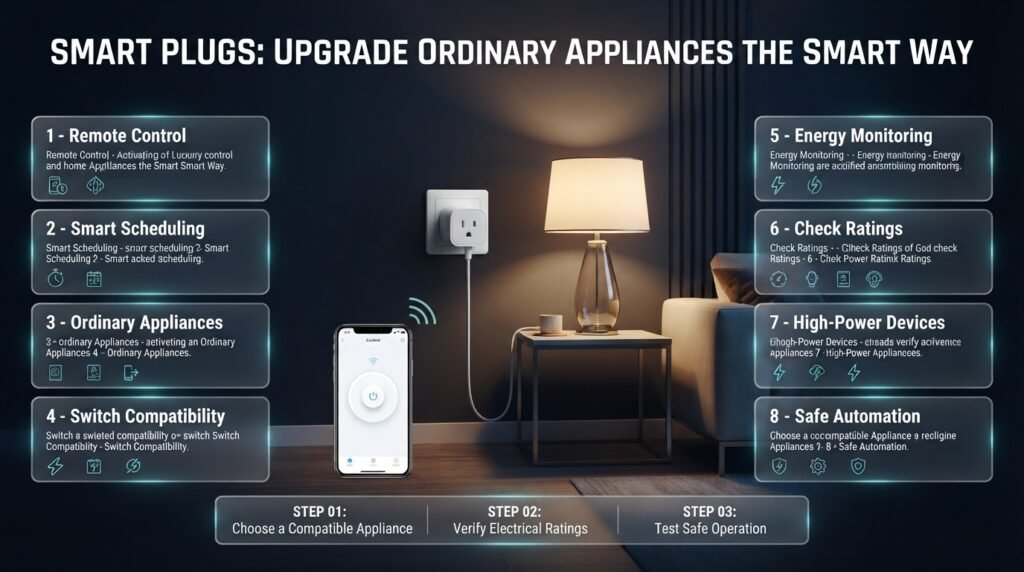
Smart plugs add remote or scheduled control to compatible plug-in equipment. They are useful when you want to automate a lamp or another suitable appliance without purchasing an entirely new device.
For example, a table lamp can switch on before you arrive home, or a decorative light can turn off automatically at bedtime.
Where smart plugs work well
Consider using them for:
- Compatible lamps and decorative lighting.
- Suitable small appliances that support safe power interruption.
- Selected equipment with a physical on/off switch.
- Energy monitoring when the plug specifically supports it.
Smart plugs do not make an appliance fully intelligent. A device with electronic controls may enter standby after power returns instead of resuming its previous function.
Check electrical ratings before connecting equipment
The plug must be rated for the appliance’s voltage, current, and load. Motors and high-power devices require particular attention because their operating characteristics may exceed what an inexpensive plug can safely handle.
Never connect a heater, air conditioner, pump, or other high-load appliance unless the smart plug is specifically suitable for that equipment and its load. Do not use a smart plug to bypass an appliance’s safety mechanisms.
If you are unsure about a fixed electrical installation, consult a qualified professional.
Practical example: A smart plug controlling a simple lamp may be an easy improvement. Using an unsuitable plug to control a powerful heating appliance could create a serious electrical hazard. The purpose of automation is to improve convenience safely.
7. How Do Smart Sensors Help Prevent Household Problems?
Smart sensors detect changes such as movement, door openings, temperature, humidity, or water leakage. They can notify you when something happens or trigger a compatible device to respond automatically.
Their main advantage is that they allow a home to respond to actual conditions instead of depending only on fixed schedules.
Motion and occupancy sensors
Motion sensors are useful for automatic lighting in hallways, entrances, closets, and other frequently used areas.
Occupancy sensors may be better suited to spaces where someone remains relatively still, depending on their detection technology.
For example, a motion sensor with unsuitable timeout settings might switch off an office light while someone is reading. Correct placement and configuration are therefore essential.
Temperature and humidity sensors
These sensors can help identify conditions that affect comfort. Depending on the system, temperature readings may support climate-control routines, while humidity readings can trigger alerts or compatible ventilation equipment.
In bathrooms and laundry areas, humidity monitoring may help identify situations where additional ventilation is needed. It does not replace suitable ventilation or professional investigation of persistent moisture problems.
Water-leak sensors
Water-leak detectors can alert you when moisture reaches the sensor. Suitable locations include under sinks, near washing machines, and around other plumbing connections that could leak.
Some systems can work with compatible automatic shutoff valves, which may help limit water damage. Such equipment must be installed and tested correctly.
For additional advice on maintaining your property, explore Property Care & Maintenance.
Expert tip: Place sensors where they can detect a problem early. A leak sensor positioned near a likely leak point is generally more useful than one placed far away simply because installation is easier.
8. How Do You Choose Compatible Smart Home Devices?
Compatibility determines whether devices can work together reliably. Some products connect directly to Wi-Fi, while others use Zigbee, Z-Wave, Thread, Bluetooth, or a supported combination of technologies. Matter can improve interoperability between compatible products and control platforms.
However, sharing a technology standard does not guarantee that every feature works across every system.
Understand the main connection technologies
| Technology | Typical role | Important consideration |
|---|---|---|
| Wi-Fi | Direct network connection for compatible devices | Coverage and network capacity |
| Zigbee | Low-power communication for smart home devices | Compatible hub or controller may be required |
| Z-Wave | Smart home device networking | Regional frequency and controller compatibility |
| Thread | Low-power mesh networking | Compatible Thread infrastructure |
| Bluetooth | Nearby device communication | Range and remote-control limitations |
| Matter | Interoperability standard for supported devices | Specific controller and feature support |
Matter is not a wireless radio by itself. It operates over supported network technologies, including Wi-Fi and Thread.
Check compatibility before purchasing
Identify the app or ecosystem you want to use, then confirm that each device supports the necessary functions.
Look for information about:
- Hub and controller requirements.
- Remote access and internet dependence.
- Voice-assistant compatibility.
- Local control during internet outages.
- Firmware updates and long-term support.
- Subscription fees and device limits.
For example, if you want a door sensor to switch on a smart bulb, verify that both products can participate in the same automation. A shared label such as “smart home compatible” is not enough to confirm every required feature.
A small, coordinated system is usually easier to maintain than multiple disconnected products with separate apps.
9. Can Smart Home Upgrades Reduce Electricity Consumption?
Smart home technology can help manage energy use by making lighting, climate controls, and selected appliances easier to schedule or monitor. However, savings depend on the devices involved, your existing habits, the property’s efficiency, and local energy conditions.
Focus on the sources of avoidable consumption
Start with the activities you can realistically change.
Lighting: Use efficient bulbs and turn off unnecessary lights through sensible routines or occupancy-based controls.
Heating and cooling: Schedule suitable temperatures for occupied and unoccupied periods.
Appliance monitoring: Use compatible energy-monitoring plugs to identify consumption patterns in selected equipment.
Standby power: Consider switching off devices that can safely be disconnected without disrupting their operation or settings.
Smart technology should complement efficient equipment rather than replace it. A connected but inefficient appliance may still consume more electricity than a suitable efficient alternative.
Measure results rather than relying on marketing claims
Record electricity consumption before making changes and compare it with later periods. Consider weather, seasonal demand, household occupancy, and any new equipment.
A household that regularly leaves lights on in empty rooms may see a useful improvement from automation. A home that already uses efficient LEDs and sensible schedules may see a smaller difference.
Smart hubs, cameras, displays, and other connected devices also consume power. Evaluate the overall system rather than assuming every additional device reduces energy use.
10. How Can Smart Home Technology Improve Interior Design?
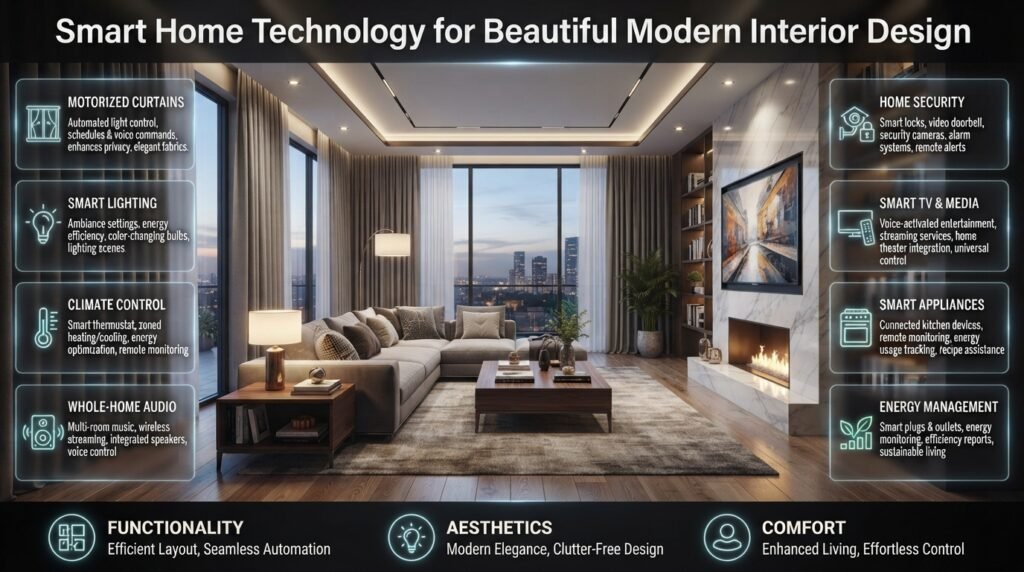
Smart home technology can support interior design when it improves functionality without overwhelming the room. Discreet sensors, coordinated switches, suitable lighting, and automated window coverings can help create spaces that are both practical and visually comfortable.
Technology should support the room’s purpose, not dictate the entire design.
Automated blinds and curtains
Motorized window coverings can open or close on a schedule or through compatible controls. They are useful for tall windows, hard-to-reach curtains, and rooms where daylight changes significantly throughout the day.
Depending on the fabric, window orientation, and insulation, suitable window coverings may also help manage glare and solar heat gain.
Before installation, check the curtain weight, available power, mounting space, and controller compatibility. Renters should consider removable options that minimize permanent changes.
Lighting that complements furniture and finishes
A room needs different lighting for different activities. Reading areas require suitable task lighting, kitchens benefit from clear work-surface illumination, and bedrooms often feel more comfortable with easily controlled bedside lighting.
Consider how switches and controls will be positioned relative to furniture. A light that can be adjusted from the bed is more convenient than one that requires crossing the room every evening.
When choosing devices, consider their color, finish, size, and visibility. A discreet sensor or coordinated switch may fit the interior better than a collection of unrelated gadgets.
For further inspiration, see Home Interior Ideas and Home Decor.
Make small spaces easier to use
Smart technology can be especially helpful in compact homes when it reduces clutter and unnecessary movement.
Portable plugs, compact controllers, and well-positioned lighting can make a small room more convenient without requiring additional furniture.
However, avoid installing so many devices that the room becomes visually busy. Choose equipment that fits the available space and serves a clear purpose.
Related ideas are available in Small Space Ideas.
11. How Can You Protect Smart Home Privacy and Security?
Connected devices can collect information about household routines, camera footage, voice commands, occupancy, and usage patterns. Good security practices help reduce the risk of unauthorized access and unnecessary data collection.
Protect accounts and devices
Use unique passwords and enable multifactor authentication wherever available. Install supported firmware updates, review account permissions, and remove access for people who no longer need it.
If your router supports a separate network for smart devices, consider using it with appropriate isolation settings. Some products require communication with your phone or controller, so check the configuration rather than assuming every device will work automatically on a separate network.
Review cameras and microphones carefully
Understand where recordings are stored, who can view them, and whether the device requires a paid subscription for video history.
Avoid placing cameras in spaces where people reasonably expect privacy. Consider household members, guests, and neighboring properties when selecting camera locations.
Voice assistants may process commands through cloud services, depending on the product. Review microphone controls, voice-history settings, and data-retention options if privacy is a concern.
Plan for internet and power outages
Not every device needs the internet for every function, but some depend heavily on cloud services.
Before purchasing essential equipment, check what happens when the internet disconnects or power fails. Keep practical backup access for smart locks and ensure essential lighting can still be operated conveniently.
A connected home should remain manageable even when part of the system is temporarily unavailable.
12. What Mistakes Should You Avoid When Upgrading Your Home?
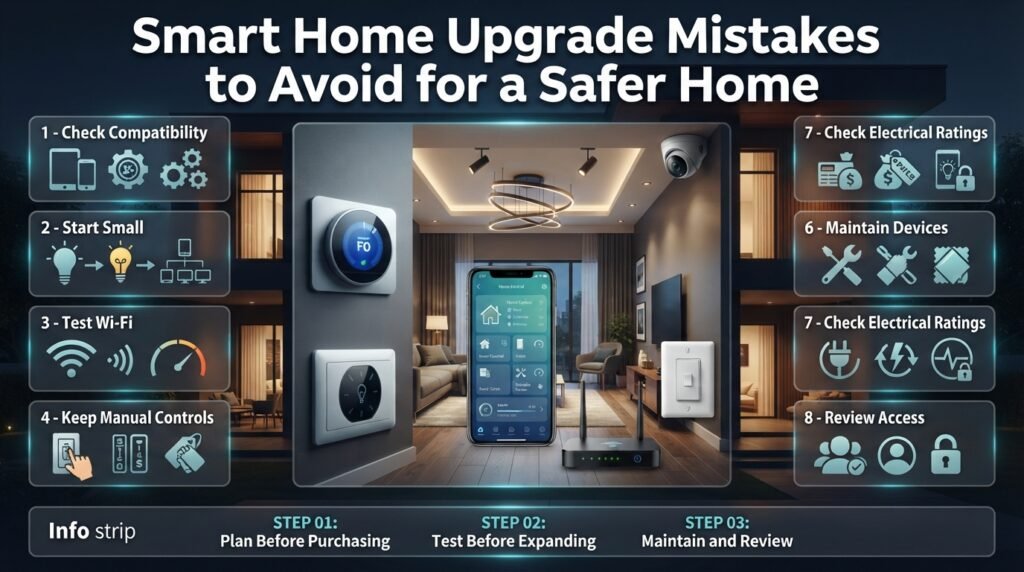
Many smart home problems arise from rushed purchasing decisions rather than technology itself. Compatibility issues, weak connectivity, complicated routines, and overlooked maintenance can make an otherwise useful system frustrating.
Mistake 1: Buying products before checking compatibility
A device may work with one controller but not another, even when both support similar technologies.
Better approach: Confirm the exact model, required hub, supported features, and regional availability before purchasing.
Mistake 2: Automating too much at once
Installing multiple devices simultaneously makes troubleshooting harder.
Better approach: Start with one room or routine. Test the results before expanding the system.
Mistake 3: Ignoring network coverage
A smart camera may perform poorly if the wireless signal is weak at the installation point.
Better approach: Test the connection where the device will be placed. Improve router placement or add suitable networking equipment if necessary.
Mistake 4: Removing convenient manual controls
Some household members may not want to use an app or voice assistant for ordinary tasks.
Better approach: Preserve suitable physical controls and provide simple instructions for family members and visitors.
Mistake 5: Overlooking ongoing costs
Subscriptions, batteries, replacement devices, and installation can increase the total cost.
Better approach: Calculate the likely cost over several years and check whether essential features remain available without a subscription.
Mistake 6: Neglecting maintenance
Low batteries, outdated software, and changed network settings can interfere with automation.
Better approach: Test important sensors periodically, install supported updates, and review access permissions.
Mistake 7: Using unsuitable electrical equipment
An inexpensive device may not be rated for the intended appliance or environment.
Better approach: Follow electrical specifications and local regulations. Use a qualified professional for complex or fixed electrical work.
13. How Should You Budget for Smart Home Upgrades?
Your budget should reflect the functions you need, the equipment you already own, and the complexity of installation. A basic setup may require only a few bulbs and plugs, while a coordinated whole-home system may involve controllers, sensors, wiring, networking equipment, and professional installation.
Divide the project into stages
| Stage | Main priorities | Suitable approach |
|---|---|---|
| Stage 1 | Basic convenience | Add selected bulbs or plugs |
| Stage 2 | Everyday automation | Introduce compatible sensors and routines |
| Stage 3 | Security and monitoring | Add suitable entry sensors or cameras |
| Stage 4 | Comfort and energy management | Evaluate climate controls and automated blinds |
| Stage 5 | Whole-home integration | Coordinate systems where the benefits justify the cost |
There is no need to complete every stage. Some households may be satisfied after the first or second stage.
Calculate the total cost
Include the initial device price, installation, hubs, subscriptions, batteries, and future replacements.
Consider whether the device will continue to provide value if the manufacturer changes its service or discontinues support. Products with useful manual controls and suitable local functionality may offer more flexibility.
If you’re planning a property renovation, coordinate smart features with other construction decisions to reduce duplicated work.
For broader property-planning ideas, explore Residential Architecture Ideas and Property and Real Estate Guide.
The aim is not to buy the largest system you can afford. It is to spend on improvements that solve problems consistently.
14. What Do Professionals Recommend When Planning a Smart Home?
A reliable smart home begins with clear priorities, compatible equipment, dependable infrastructure, and routines that make daily life easier. Planning these elements before purchasing devices can prevent unnecessary expense and reduce installation problems.
Step 1: Identify your most frequent frustrations
Write down three household tasks you would like to simplify.
Perhaps you frequently forget to switch off lights, want better visibility at the entrance, or struggle to maintain comfortable temperatures.
Choose upgrades that address those needs first.
Step 2: Assess your existing property
Check Wi-Fi coverage, electrical requirements, available mounting locations, door hardware, and climate-control equipment.
If you’re renovating, plan appropriate wiring, network access, and control locations before finishing the walls. Retrofitting may require additional work later.
Step 3: Select a compatible system
Choose the controller or platform that supports the devices and routines you need.
Verify hub requirements, local-control options, software support, and any recurring charges. Avoid assuming that all products from one manufacturer support every feature.
Step 4: Write down your automation rules
A simple automation has a trigger, an optional condition, and an action.
For example:
- Trigger: The hallway sensor detects movement.
- Condition: The selected nighttime period is active.
- Action: A compatible hallway light turns on at a suitable brightness.
- Follow-up: The light switches off after the area has been empty for a set period.
Writing the rule down makes it easier to configure and troubleshoot.
Step 5: Test what happens when something fails
Check whether manual controls remain available if the internet disconnects, the phone is unavailable, or a sensor battery runs low.
For essential equipment, establish a practical backup method and explain it to household members.
Step 6: Review the results before expanding
After several weeks, evaluate reliability, convenience, notifications, and overall cost.
Keep the routines that help. Adjust or remove those that cause unnecessary interruptions.
Professional planning is not about maximizing the number of devices. It is about making the system dependable, understandable, and appropriate for the property.
15. How Can You Make Smart Home Upgrades Work in Every Room?
A room-by-room plan helps prevent unnecessary purchases and ensures that each device supports a clear purpose.
Living room
Focus on comfortable lighting, convenient control of compatible entertainment equipment, and window coverings if they are difficult to operate.
Avoid creating too many separate routines. One reliable evening setting may be more useful than several complicated scenes.
Explore Living Room Ideas for additional ideas about creating a functional shared space.
Bedroom
Prioritize bedside lighting, comfortable light levels, and convenient control from the bed.
A simple bedtime routine can switch off selected lights and compatible devices. Keep essential controls accessible, and avoid placing unnecessary cameras or microphones in private spaces.
For further inspiration, see Bedroom Ideas.
Kitchen
Smart lighting, selected energy-monitoring devices, and suitable leak sensors can support convenience and maintenance.
Keep controls away from wet areas unless they are specifically rated for the environment. Do not connect high-power kitchen equipment to smart plugs unless the devices are appropriately rated and approved for the intended use.
Explore Kitchen Ideas when planning the room’s wider layout and functionality.
Bathroom
Humidity monitoring and suitable ventilation controls may help manage moisture. Lighting automation can also be convenient, provided devices are appropriate for the location.
Electrical safety is particularly important in bathrooms. Follow local regulations and use suitable equipment installed by a qualified professional where required.
See Bathroom Ideas for related design inspiration.
Entrance and storage areas
Door sensors, appropriate entry lighting, and selected security devices can help make entrances more convenient to monitor.
In closets and storage areas, motion-activated lights can make it easier to find items without searching for a switch.
Combine technology with practical storage habits. Ideas in Home Organization can help you keep everyday belongings accessible.
16. How Do Smart Home Upgrades Fit into a Better Lifestyle?
The value of a smart home is not measured by how many connected devices it contains. It comes from how well the technology supports everyday activities, reduces avoidable inconvenience, and works alongside the property’s design and maintenance needs.
Make convenience the priority
Choose routines that remove repetitive tasks rather than adding more things to manage.
A light that responds reliably to a useful schedule may provide more everyday value than a complicated automation that requires frequent adjustments.
Keep the home comfortable and personal
Smart lighting, suitable climate controls, and automated curtains can support a comfortable environment. However, personal preferences still matter. One family member may prefer brighter lighting, while another may want a darker bedroom.
Configure routines with those differences in mind rather than expecting one setting to suit everyone.
Connect technology with broader home improvements
Smart devices work best when the underlying property is also functional. Suitable lighting cannot fully compensate for poor room layout, and connected climate controls cannot correct every insulation problem.
Consider how automation fits alongside furniture placement, maintenance, storage, and the use of outdoor areas.
You can explore Create a Home That Feels Beautiful for ideas about balancing comfort and appearance, or Garden and Outdoor Living Ideas for inspiration beyond the interior.
If you enjoy planning future trips or spending time away from home, the ideas in Travel Places and Destinations may also complement your wider lifestyle planning. Whatever your routine, smart technology should support how you live rather than dictate it.
What Are the Best Smart Home Upgrades for Beginners?
The best smart home upgrades for beginners are those that solve everyday problems without requiring complicated installation or a large budget. Smart bulbs, compatible smart plugs, motion sensors, and video doorbells are practical starting points because they offer useful features without requiring a complete home renovation. The right choice depends on whether you want better lighting control, convenient appliance management, or improved awareness of activity around your property.
Before purchasing a device, consider how it will fit into your existing home. Check its compatibility with your Wi-Fi network, preferred smart home platform, and other connected devices. Starting with one or two products also gives you time to understand their controls and reliability before investing in a larger system.
Practical tips:
Start with smart lighting if you want a simple, noticeable improvement.
Choose compatible smart plugs for appliances that can safely be controlled through power switching.
Consider a video doorbell if monitoring visitors and deliveries is a priority.
Check installation requirements and subscription fees before purchasing.
Expand your setup gradually rather than buying multiple devices at once.
Do Smart Home Upgrades Really Save Money on Electricity Bills?
Smart home upgrades can help reduce electricity consumption when they make it easier to avoid unnecessary energy use. Smart lighting schedules, occupancy sensors, compatible climate controls, and energy-monitoring plugs can help households identify waste and manage certain appliances more efficiently. However, the amount saved depends on existing habits, equipment efficiency, climate, and how the devices are configured.
For example, a household that frequently leaves lights on in empty rooms may benefit from automated lighting. A home that already uses efficient LED bulbs and sensible schedules may experience a smaller improvement. Smart devices also consume electricity, so their overall effect should be evaluated rather than assumed.
Practical tips:
Use schedules or motion sensors to manage lights in frequently used areas.
Adjust heating and cooling settings according to occupancy and comfort requirements.
Monitor compatible appliances to identify unusually high electricity consumption.
Compare energy bills or meter readings over similar periods.
Consider the purchase price, installation costs, and subscriptions when evaluating potential savings.
Which Smart Home Devices Are Best for Home Security?
The most useful smart home security devices depend on the areas you want to protect and the type of monitoring you need. Video doorbells can help you see visitors, door and window sensors can notify you when an entry point opens, and suitable security cameras can monitor selected areas. Smart locks may also offer convenient access management through supported PIN codes or temporary credentials.
These devices work best as part of a broader security plan. Their effectiveness depends on correct installation, reliable connectivity, appropriate settings, and regular maintenance. A camera with weak Wi-Fi coverage or a sensor with a depleted battery may not provide dependable alerts when needed.
Practical tips:
Position cameras to cover relevant entrances while respecting other people’s privacy.
Check whether devices require subscriptions for video recording or extended storage.
Test sensors and notifications after installation.
Choose smart locks that suit your door and provide a practical backup-entry method.
Enable strong account passwords and multifactor authentication wherever available.
Can I Install Smart Home Upgrades Without Renovating My House?
Many smart home upgrades can be installed without major renovation. Smart bulbs, compatible plugs, battery-powered sensors, and certain video doorbells are designed for existing homes and can often be added with minimal disruption. These options are especially useful for renters, homeowners working with a limited budget, or anyone who wants to improve convenience without changing the property’s structure.
More complex upgrades, such as wired smart switches, integrated climate controls, and some motorized window systems, may require electrical work or professional installation. Before buying equipment, check the property’s existing wiring, available power, network coverage, and any restrictions imposed by a landlord or building management.
Practical tips:
Choose removable devices if you rent your home.
Test Wi-Fi coverage where each device will be installed.
Check compatibility with existing switches, appliances, and controllers.
Obtain permission before making permanent alterations to a rented property.
Use a qualified professional for fixed wiring and installations that require specialist electrical knowledge.
How Can I Make Different Smart Home Devices Work Together?
Different smart home devices can work together when they support compatible communication technologies, controllers, and automation features. Some devices connect directly through Wi-Fi, while others use technologies such as Zigbee, Z-Wave, or Thread. Matter can improve interoperability between supported devices and smart home platforms, but compatibility still depends on the specific products and features involved.
A coordinated system allows you to create useful routines instead of controlling every device separately. For example, a compatible motion sensor could switch on a hallway light when movement is detected at night. To achieve this, the sensor, light, and controller must support the required automation. Simply purchasing products labelled as smart home devices does not guarantee that they will work together.
Practical tips:
Choose your preferred smart home platform before buying several devices.
Check whether a hub, controller, or Thread border router is required.
Confirm support for the exact automation you want to create.
Look for firmware updates and ongoing manufacturer support.
Test routines individually and retain manual controls for everyday use.
conclusion
Conclusion
Smart home upgrades are most valuable when they make everyday life easier, improve comfort, strengthen security, or help reduce unnecessary energy use. You do not need to automate your entire house at once or invest in expensive technology to enjoy these benefits. Starting with practical improvements such as smart lighting, a programmable thermostat, smart plugs, or a reliable video doorbell can help you understand which features genuinely suit your lifestyle.
Before buying any device, consider your budget, Wi-Fi reliability, privacy settings, compatibility with your existing equipment, and the needs of everyone living in your home. Choose products that solve real problems rather than adding technology simply because it is popular. It is also worth checking whether devices will continue to work if your internet connection is interrupted and whether their software receives regular security updates.
As you plan improvements, think about how technology fits into your wider home environment. Good lighting, organized spaces, comfortable furniture, efficient appliances, and well-maintained systems all contribute to a more functional living experience. Explore more practical inspiration at Blog Home Ideas TheHomeTrotters to discover ideas for improving your home inside and out.
Ultimately, the best smart home is not the one with the most devices. It is the one that works reliably, respects your privacy, supports your daily routine, and makes your home more comfortable and convenient over time. Start with one useful upgrade, learn how it performs, and expand gradually as your needs and budget allow.
One Response